Zigbee LED Strips vs Wireless Puck Lights for Kitchen Prep Zones
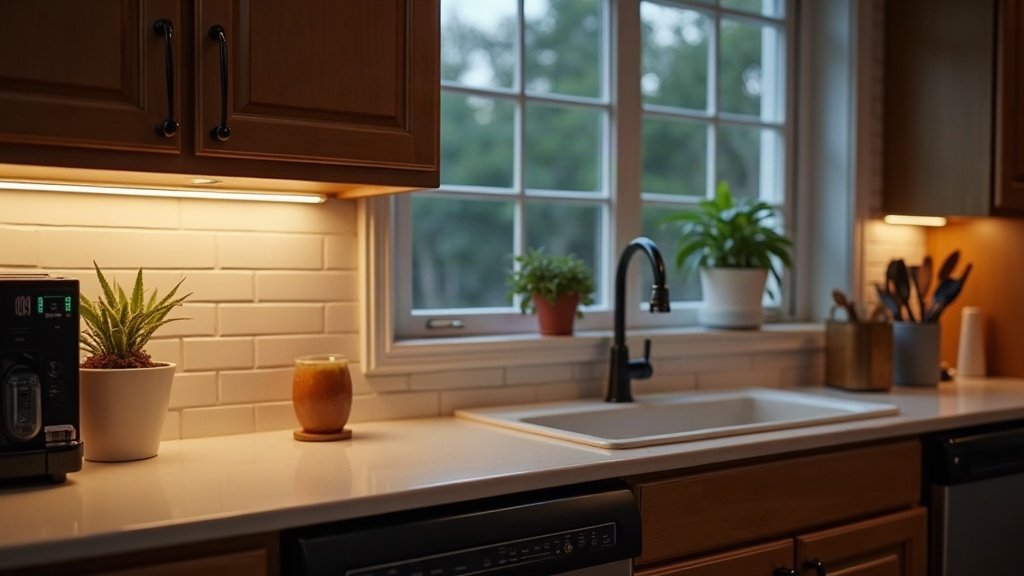
If your kitchen counters go pitch black the moment the sun dips below the horizon, you’ve got company. Dim under-cabinet lighting is probably the single most common gripe homeowners bring up about their kitchens. Two fixes tend to show up again and again: Zigbee-connected LED strips and wireless battery-powered puck lights. Strips give you continuous, dimmable light you can control from your phone or by voice, which is great if you cook seriously and want even coverage across a long counter. Pucks are cheaper, require zero wiring, and work fine as quick spot lighting, especially if you’re renting. Let’s dig into which one actually fixes the darkness over your cutting board.
Why Prep Zones Need Dedicated Lighting
Here’s the problem with overhead fixtures: they put your own body between the light source and the counter. You end up working in your own shadow, right where you’re slicing onions or squinting at a recipe card. A dedicated strip or puck light under the cabinet closes that gap, cuts eye strain, and honestly just makes chopping, reading measurements, and checking whether the chicken’s actually done a lot less annoying (and safer, given how often this is where people nick a finger).
Zigbee Under-Cabinet LED Strips: Overview
These are low-voltage LED tape lights, usually sold in 16.4-ft reels, run through a Zigbee hub (SmartThings, Hue Bridge, Aqara, take your pick) or a Zigbee-enabled smart plug or controller.
Pros:
- Even, continuous light. No awkward dark patches like you get between individual pucks.
- Dimmable and tunable white (2700K to 6500K on most models), so you can go warm and cozy at night or bright and clinical while you’re prepping dinner.
- Voice and automation control. Say “Alexa, turn on kitchen counter lights” or just set them to fire up automatically at sunset.
- Low power draw, hardwired to a transformer, so you’re never swapping batteries.
- Cuttable at marked points to match your exact cabinet run, no weird leftover length.
Cons:
- You’ll need a Zigbee hub if you don’t already have one, though a few kits throw in a built-in bridge.
- Installation means running low-voltage cable to an outlet or junction box. Not a huge job, but it’s a step up from peel-and-stick.
- Pricier upfront: figure $40 to $120 for a hub-compatible kit covering one cabinet run.
Wireless Puck Lights: Overview
Pucks are small, round fixtures, battery-powered or rechargeable, that stick or screw up individually under each cabinet section. Control is usually a remote, a tap-touch sensor, or a basic Bluetooth app.
Pros:
- Zero wiring. Peel the backing, stick it up, done. Great if you’re renting and can’t touch the electrical.
- Cheap. A 3-6 pack typically runs $20 to $40.
- Portable. Don’t like where you put them? Move them to a pantry shelf, a closet, even the garage.
- Fast. You can have working lights in under 10 minutes, no tools required.
Cons:
- Coverage is spotty. Pucks throw pools of light with dark gaps in between, which gets noticeable fast on a long countertop.
- Batteries need attention. Most run on AA, AAA, or coin cells, and depending on how much you use them, you’re swapping those every 1 to 6 months.
- Smart home integration is thin. Very few pucks actually talk to Zigbee or Matter; most just use an IR remote or a standalone app that doesn’t play with anything else.
- Dimmer overall. You’re looking at roughly 100-200 lumens per puck, versus 300-450 lumens per foot with strip lighting. That’s a real difference when you’re trying to read a recipe at 9pm.
Side-by-Side Comparison
| Feature | Zigbee LED Strips | Wireless Puck Lights |
|---|---|---|
| Installation | Moderate (wiring/adhesive + hub) | Very easy (peel-and-stick) |
| Light coverage | Continuous, even | Spotty, gaps between units |
| Smart home integration | Full (Alexa, Google, automations) | Limited (remote/app only) |
| Power source | Hardwired/transformer | Battery or rechargeable |
| Upfront cost | $40–$120 | $20–$40 |
| Long-term maintenance | Minimal | Periodic battery swaps |
| Best for | Owners, serious cooks, long counters | Renters, quick fixes, small areas |
Which One Should You Choose?
- Go with Zigbee LED strips if: you own the place, your counters run long, you want consistent brightness for chopping and recipe-reading, and you’re already in the smart home ecosystem (or planning to be).
- Go with puck lights if: you’re renting, you need something working today, you’re only trying to light a small corner like a coffee station, and you’d rather not commit to any real installation.
A Hybrid Approach Works Too
Honestly, a lot of kitchens do better with both. Run Zigbee strips along your main prep counter for solid, even task lighting, then toss a couple of puck lights inside dark cabinets, the pantry, or a deep drawer where pulling wire just isn’t worth the hassle.
Final Verdict
If you’re dealing with a genuinely dark prep zone, somewhere you chop vegetables, squint at food labels, and need dependable brightness night after night, Zigbee under-cabinet LED strips are the better long-term bet, even with the higher price tag and the extra install work. Puck lights still earn their keep for renters, temporary setups, or that one dim corner where convenience matters more than total coverage. Pick based on where you actually live and how long you’ll be there, and either option will make your kitchen noticeably more usable after dark.