Preventing Robot Lawn Mowers from Getting Stuck on Pinecones
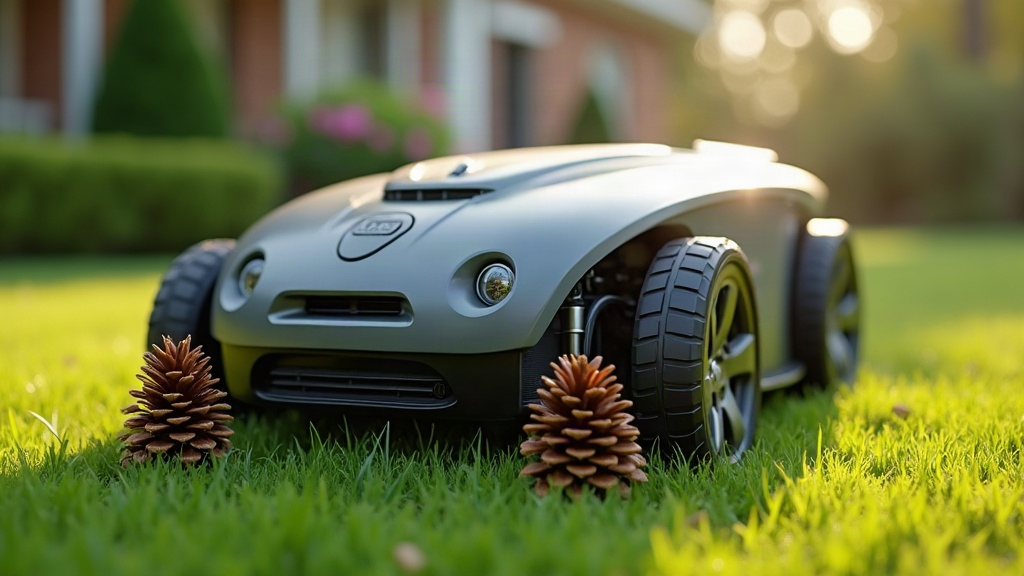
If your robot mower keeps stalling, spinning in place, or shutting down with an error code after rolling over pinecones, acorns, or scattered twigs, you’ve run into one of the most common (and most fixable) headaches in robotic mowing. The fix usually comes down to a quick yard cleanup routine, smarter scheduling, and a handful of hardware tweaks that keep debris from jamming the blades or wheels in the first place.
Why Pinecones and Debris Cause Problems
Robot mowers are built to chew through grass, not hard, oddly shaped objects. Roll one over a pinecone, an acorn, or a thick stick, and a few things tend to happen:
- Wheel lift sensors trigger. The mower assumes it’s been picked up and stops cold.
- Blades jam or stall. The motor strains trying to cut through material it was never designed to handle.
- Debris wedges into the wheel wells. Traction goes, and the mower just spins in place.
- The mower gets physically beached. It ends up perched on a cluster of pinecones like a car stuck on a speed bump.
Fall and early winter are the worst stretch for this, particularly under oak and pine trees where cones, nuts, and twigs pile up almost daily.
Quick Fixes for an Immediate Problem
If your mower is stuck or stalling right now, start here:
- Power it off and flip it over carefully (check your manual for the right method) and inspect the blade housing and wheel wells for lodged debris.
- Clear a path by hand around the stuck spot before you restart the mowing cycle.
- Check the lift sensor. Sometimes a piece of debris presses against the chassis and falsely triggers the anti-lift safety stop.
- Inspect the blades. A bent or chipped blade from smacking a hard pinecone can cause vibration that makes future stalls worse.
Long-Term Prevention Strategies
1. Adjust Your Mowing Schedule Around Debris Drop Times
Most mowers let you set mowing windows through a companion app. If you’ve got pine or oak trees nearby, skip mowing during peak cone or acorn drop, usually early morning after a windy night. Pushing the schedule to midday, with a quick visual check first, cuts down encounters with fresh debris dramatically.
2. Do a Weekly “Debris Sweep”
Before the mower’s weekly cycle kicks off, spend five minutes walking the yard:
- Rake up visible pinecones, acorns, and fallen branches.
- Check under trees and along fence lines, where debris tends to collect.
- Clear anything caught along the perimeter wire path, if your model uses one.
3. Raise the Cutting Height Slightly
A lot of people cut the height down too far chasing that “manicured” look, which drags the chassis closer to ground-level debris. Raising the deck even 5 to 10mm gives you more clearance over small pinecones and twigs, and your lawn still looks sharp.
4. Use a Mulching Mower Setting if Available
Some newer models come with adjustable blade speed or a mulching mode built to shred smaller debris instead of stalling on it. Poke around your settings menu for a “tough terrain” or “debris mode” option if your mower supports it.
5. Install Boundary Exclusion Zones
If one spot, say under a big pine tree, keeps causing trouble no matter what you do, just fence it off in the app as a no-go zone. You lose a small patch of lawn coverage, but you stop the repeat stalling for good.
6. Upgrade or Reinforce Wheels
A number of owners report fewer stalls after switching to models or wheel kits with deeper tread. Better grip on uneven, debris-covered ground means less slippage overall.
When to Call It a Seasonal Issue, Not a Mower Defect
If the struggles only show up during peak leaf and cone drop (typically October through December in most climates), that’s environmental, not mechanical. Plenty of owners just pause the automated schedule for two or three weeks during the heaviest drop and pick back up once the yard clears, rather than fighting constant interruptions the whole time.
Conclusion
A robot mower getting hung up on pinecones and yard debris is almost always a maintenance and scheduling problem, not a hardware failure. Regular debris sweeps, smarter mow timing, a slightly raised cutting height, and a well-placed no-go zone or two will keep your mower running through even the messiest fall. A few minutes of yard prep each week saves you hours of troubleshooting later, and it stretches the life of your blades and motor too.